
Setup Maker
To install Miraplacid Publisher 2025 SDK, follow these stepsAs soon as Miraplacid Publisher SDK installed, you are ready to create a virtual printer driver. Please start Setup Maker from your system Start menu (you will find it in Miraplacid Publisher SDK folder)
- In the Format Plug-ins tab select format plug-ins you would like to be added to your driver
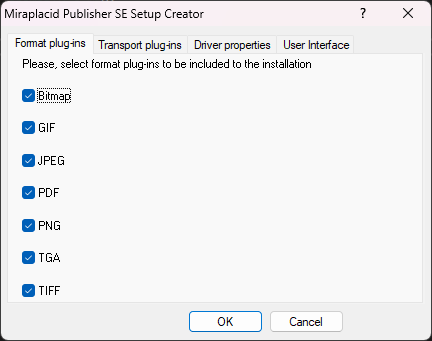
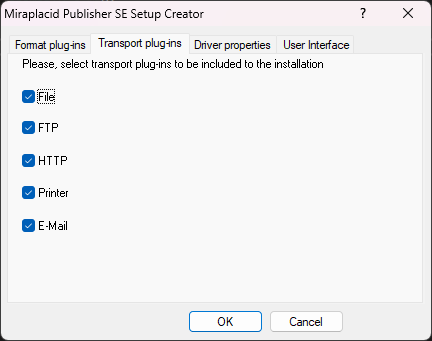
- In the Transport Plug-ins tab select transport plug-ins you need.
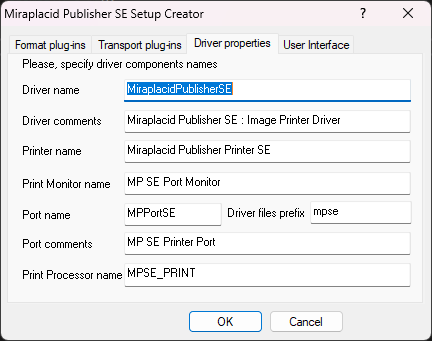
- In the Driver Properties tab specify printer driver and printer port namename.
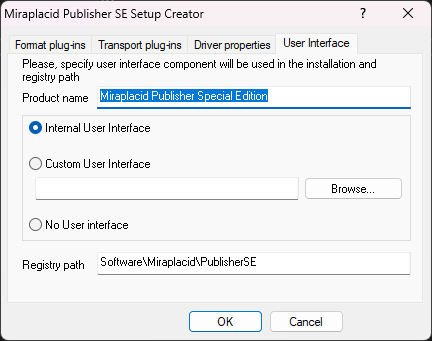
- In the User Interface tab choose whether you would like to use built-in user interface or connect your custom UI or you do not need one.
- Click "Ok" button to start driver building process
You virtual printer driver will be build and stored as a file